

One of the best ways to make your event stand out is with a vibrant image.
A well sized picture of your headline artist always looks good – and the artist or their agent should be able to provide you with a selection to choose from. If you’re feeling more creative but don’t have the budget for a graphic designer, we recommend Canva – it’s such an easy tool to use that even a beginner can create eye-catching images.
Here are some tips to ensure your event image looks great on your WeGotTickets event page:
- Size Matters
- Make sure your image is 850 pixels wide by 450 pixels high to avoid distortion. Smaller images might look poor when expanded.
- Make It Pop
- A vibrant, colorful image is more likely to catch the eye. Use bright, engaging visuals to draw attention.
- Include the Whole Band
- Ensure everyone in your group is visible in the photo. Leave some space around people to avoid cutting anyone off.
- Minimal Text
- Too much text can clutter the image. It’s better to include event details in the event description where search engines and affiliates can easily pick them up. If you do add text, keep it short!
- Think Mobile
- Over 60% of all tickets bought on WeGotTickets are purchased from a phone. Make sure your image will look good on both small and large devices.
- Mind the Top Left Corner
- On some of our marketing features our site displays the date in the top left corner of the image. Keep this area free of important information to ensure it isn’t obscured.
- It’s Art, Not Science
- Break the rules and get creative. Your unique vision can make your event stand out even more.
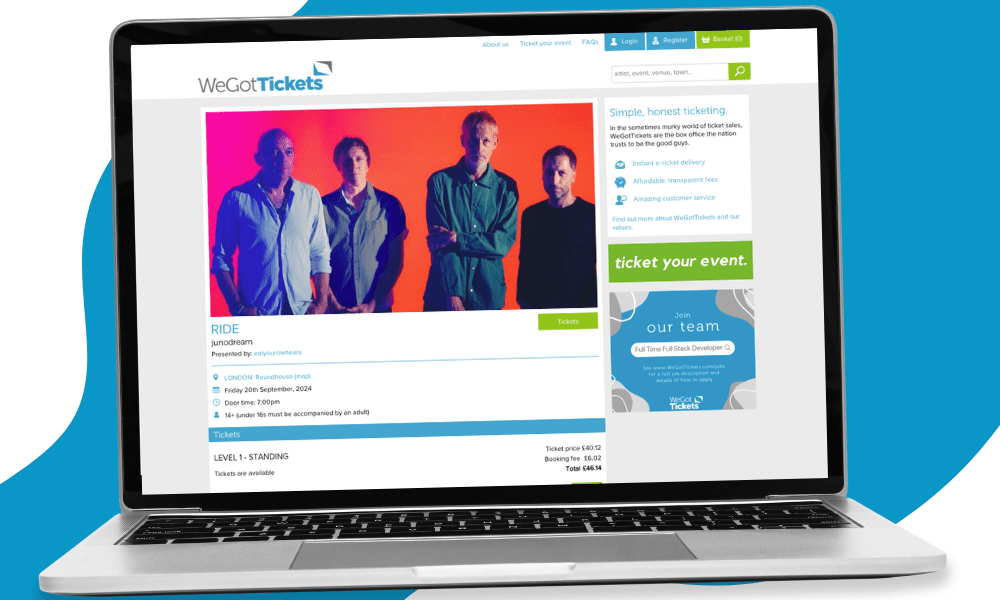
Upload your event image as part of the ‘Add event’ process, or if you need to get your event on sale before your image is ready, you can submit the image later by using the ‘View/edit event’ option from the ‘Actions’ drop-down, then selecting ‘Add image’.
We accept all common image file formats (.jpg, .png, .gif, or .bmp). The upload function includes an image preview window with simple zoom and crop functions to help you get the best out of your image.


If you need further assistance, use the ‘Contact us’ link in the ‘Help’ menu within your Admin Area.

Forgotten your Admin Area password? Reset it here.
Not signed-up? Register to ticket your events here.